


The Unexpected Return of the iPod: Why Gen Z is Rediscovering Apple’s Classic Music Player
A Nostalgic Device Finds New Life in the Digital Age
In a surprising twist of technological fate, the iPod is experiencing an unexpected renaissance. Four years after Apple officially discontinued its iconic digital music player in 2022, the device that revolutionized how we consumed music is finding a new audience. What’s perhaps most surprising is that this revival isn’t being driven by nostalgic millennials who grew up with the device, but rather by Gen Z—young people who were barely old enough to remember the iPod’s heyday. The resurgence is fueled by more than just an appreciation for retro aesthetics. Today’s youth are increasingly seeking ways to engage with music in a more intentional, focused manner, free from the constant distractions and algorithm-driven recommendations that dominate modern streaming platforms. This movement represents a fascinating countertrend in our hyper-connected world, where a dedicated single-purpose device is suddenly appealing again.
Ben Wood, chief analyst at CCS Insight, has observed this growing phenomenon firsthand. He explains that there’s an emerging trend, particularly among younger users, to actively reduce the ways they can be distracted by their smartphones. This movement is often driven by genuine mental health and well-being concerns that have become increasingly prominent among younger generations. Having a dedicated music device like an iPod offers a practical solution—it’s a way to reduce dependence on smartphones and avoid the rabbit hole of endless scrolling through social media feeds when the original intention was simply to listen to music. In an age where our phones demand constant attention with notifications, messages, and the siren call of various apps, the iPod represents something increasingly rare: a device that does one thing well, without trying to capture every moment of your attention.
Finding Your Own iPod: Navigating the Secondhand Market
If this revival has sparked your interest in acquiring an iPod of your own, you’ll need to know where to look. While you can’t walk into an Apple Store and buy a new one anymore, finding a used iPod isn’t particularly difficult. Apple sold an astounding 450 million units over the course of two decades, which means there are still plenty of these devices floating around in drawers, closets, and attics around the world. The secondhand market for iPods is thriving, with thousands of listings available on eBay alone. Wood confirms that based on his conversations with market insiders, there has definitely been renewed interest in refurbished iPods. However, buyers should exercise caution—eBay paradoxically also features thousands of listings claiming to offer “new” iPods. Upon closer examination, many of these come from China-based sellers, and some buyers have reported receiving used or refurbished devices in counterfeit packaging instead of the genuine new products they expected.
Beyond eBay, there are several other avenues worth exploring. Facebook Marketplace offers local options where you might snag a deal from someone in your community. Peer-to-peer reselling sites like Mercari provide another marketplace for used electronics. For those who want some assurance of quality, refurbished electronics platform Back Market offers tested and guaranteed devices, operating in the United States, Japan, and more than a dozen European countries. The platform reported that iPod sales jumped an impressive 48% in 2024 compared to the previous year—concrete evidence of this growing trend. There are also specialized businesses dedicated exclusively to selling refurbished iPods, catering to this niche but expanding market. And don’t overlook the possibility that someone in your own circle might have one tucked away somewhere. Many families have stories like the one where a teenager recently discovered her grandmother’s silver iPod Nano, complete with the original charging cable and those iconic white earphones, in a guest room nightstand—a perfect time capsule from the device’s golden era. For those diving into iPod ownership, there’s also a vibrant online community of enthusiasts who swap tips, troubleshooting advice, and share pictures of their devices, many featuring aftermarket modifications like faceplates in non-original colors that give these classic devices a personalized modern twist.
Understanding the iPod Ecosystem: Models and Variations
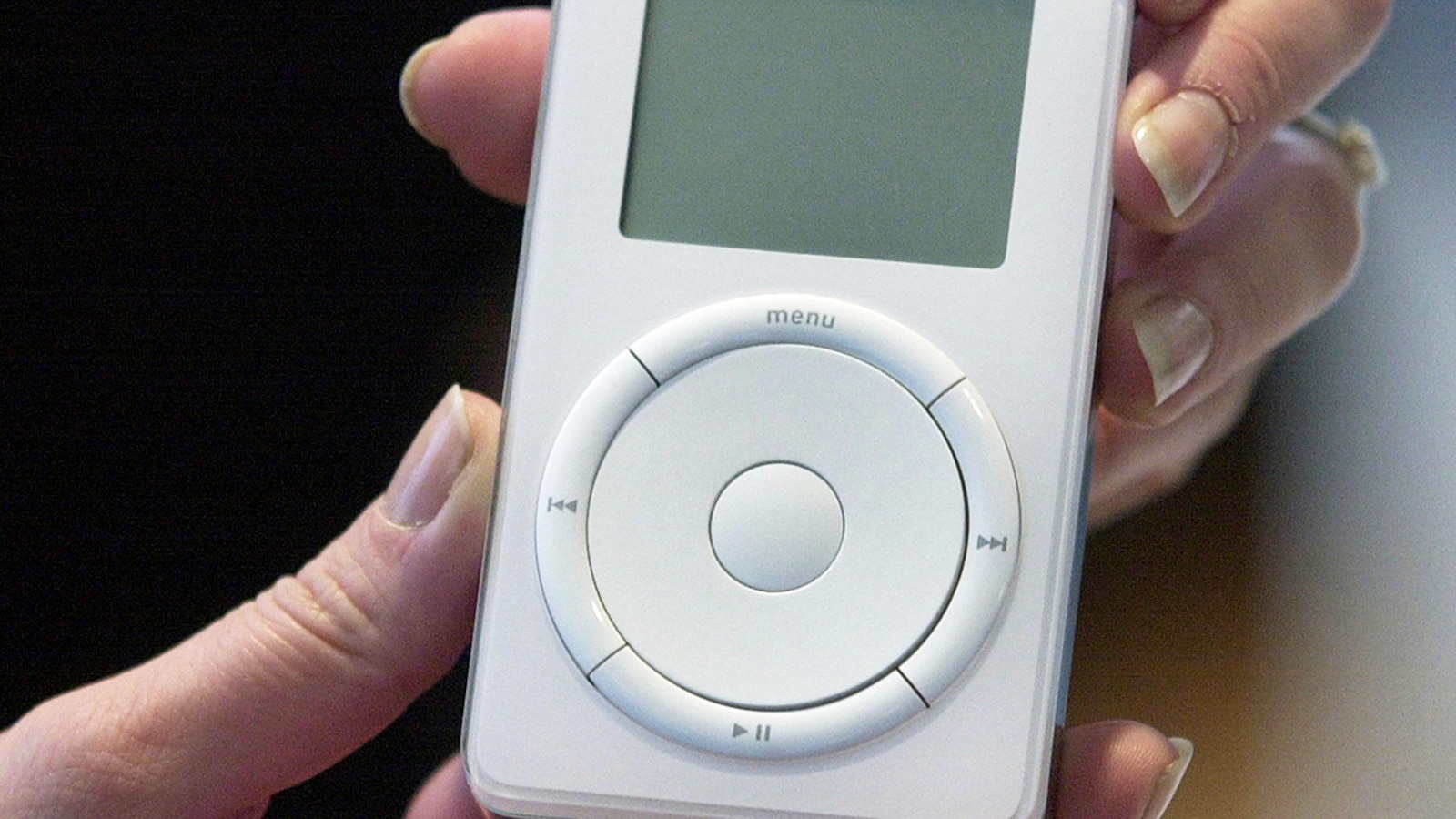
Before you start your iPod journey, it’s helpful to understand that there isn’t just one type of iPod—Apple released several distinct models over the years, each with its own characteristics and capabilities. The original iPod, which launched in 2001 and changed the music industry forever, featured the now-iconic scroll wheel that became synonymous with the device’s design language. By the time the sixth generation was released, Apple had started calling this line the “Classic,” distinguishing it from the newer variants. Following the Classic, Apple introduced smaller versions designed for different use cases and preferences. The Mini offered a more compact form factor, while the Nano took miniaturization even further. The Shuffle represented the most minimalist approach, featuring no screen at all—just pure, simple music playback controlled by basic buttons. Then came the iPod Touch, which represented a significant departure from the other models. With its glass touchscreen and iOS operating system supporting mobile apps, it was essentially an iPhone without the cellular capabilities, bridging the gap between the dedicated music player and the emerging smartphone era. If you’ve acquired an iPod but aren’t sure which model you’re holding, Apple maintains an identification page on its website that can help you determine exactly what you’ve got.
Bringing Your iPod Back to Life: Troubleshooting and Repairs
Once you’ve found an iPod, the next challenge is getting it working, especially if it’s been sitting unused for years. The battery is likely dead, so you’ll need the appropriate charging cable. This is where things can get a bit tricky. Later generations of the iPod Touch used Apple’s Lightning cable—the same one that iPhones used until recently—but all other iPod models require the older 30-pin charging cable, which features a distinctive wide, flat plug. Apple no longer manufactures these cables, but fortunately, replacement versions are readily available from aftermarket manufacturers at reasonable prices. If charging doesn’t revive your device, the battery itself might need replacing—lithium-ion batteries degrade over time, especially when left uncharged for extended periods. Alternatively, there could be other issues at play, such as a broken earphone jack or a damaged display.
For repairs, you have several options depending on your model and comfort level with electronics. Apple still offers repair services, but only for the two final generations of the iPod Touch—if you have any other model, you’re on your own with Apple. However, third-party repair services exist that can handle iPod repairs, or if you’re feeling adventurous and handy with tools, you can attempt repairs yourself. The repair website iFixit offers detailed, step-by-step guides for replacing various components in different iPod models, complete with photos and clear instructions. You’ll need to source spare parts yourself, which are often available through eBay, specialty electronics parts suppliers, or sometimes even iFixit itself. One important caveat for iPod Touch owners: be aware of software limitations. The most recent version of Apple’s operating system that will work on the seventh-generation iPod Touch—the last version ever sold—is iOS 15, and earlier models are limited to even older versions of iOS. This means some modern apps simply won’t work, and security updates have ceased. However, this isn’t an issue with other iPod variants like the Classic, Nano, Mini, or Shuffle, since they don’t run iOS at all but rather use proprietary firmware designed specifically for music playback.
Loading Music: Syncing Your Library to Your iPod
Once your iPod is charged and functioning, you’ll want to load it with music. To start fresh, you might want to perform a factory reset to wipe any existing audio files and restore the original settings—this is especially relevant if you’re using someone else’s old device. You’ll need a computer for this process, whether it’s a Mac or Windows PC. Apple provides clear instructions on its website outlining the steps for resetting different iPod models. For Windows users, Apple’s iTunes program remains the tool for managing your iPod and syncing your song library. The process is straightforward: to add digital music files from your computer, simply drag the files into iTunes and drop them into your iPod’s music library. If you’ve previously purchased a song from iTunes and want to add it to your iPod, first download it to your computer, then right-click on it and select “Add to Device.”
For Mac users, there’s a slight complication—Apple discontinued iTunes for MacOS back in 2019, so Mac computer users will need to use the Apple Music app instead. Fortunately, it works essentially the same way, with an equally simple process of dragging and dropping music files. Here’s an important distinction to understand: Apple Music subscribers with later generations of the iPod Touch should be able to stream music directly, just as they would on an iPhone. However, for every other type of iPod—the Classic, Mini, Nano, and Shuffle—you’ll only be able to add and listen to music files that you’ve either ripped from a CD or purchased as downloads from digital music platforms. These older iPods can’t stream music; they only play files stored directly on the device itself. This limitation is actually part of the appeal for many users—it forces a more curated, intentional relationship with music, where you must actively choose what to put on your device rather than having access to everything all the time.
Customizing and Modifying: The iPod Hacker Community
Most iPods are relatively basic devices by modern standards, limited in part by their onboard firmware—the low-level software that controls the device’s basic functions. But this simplicity is actually part of the iPod’s appeal for a certain type of user. As Wood notes, iPods are particularly easy for hobbyists to tinker with and modify. There’s a genuine movement of enthusiasts looking to take these classic devices and adapt them for modern use, breathing new life into old hardware through creative modifications. One of the most popular hacks involves replacing the iPod’s original firmware with open-source software such as RockBox, which can significantly upgrade an iPod’s capabilities. This software adds features that Apple never included or that didn’t exist when the devices were originally manufactured. For example, RockBox includes support for high-resolution lossless music files—formats that offer superior audio quality compared to the compressed MP3 files that were standard during the iPod’s original era. It also allows users to manage music without iTunes, which some people find restrictive or cumbersome. Additionally, RockBox can track what you’ve been listening to, enabling you to upload your listening history to platforms like Last.fm, creating a bridge between vintage hardware and modern music discovery and social features. These modifications represent a fascinating intersection of old and new technology, where dedicated enthusiasts are keeping these devices relevant and useful in ways their original designers never imagined, extending the life and utility of hardware that might otherwise be obsolete.